RISE‑based DR Classifier — Detailed Code Walk‑Through #
Table of Contents #
- Repository Structure
- Data Pipeline
data.py - Aux Dataset
data_sport.py - Model Definition
model.py - Training Loop
train.py - RISE Explainer
rise.py - Saliency CLI
explain.py - RISE Examples
Method overview #
To generate a saliency map for model’s prediction, RISE queries black-box model on multiple randomly masked versions of input.
After all the queries are done we average all the masks with respect to their scores to produce the final saliency map. The idea behind this is that whenever a mask preserves important parts of the image it gets higher score, and consequently has a higher weight in the sum.
 #
#
Link to our repository #
1 · Repository Structure #
src/
 ├ data.py          # APTOS CSV → eager‑loading dataset
 ├ data_sport.py    # tiny CIFAR‑like dataset for fast tests
 ├ model.py         # ResNet‑50 factory helper
 ├ train.py         # CLI training script (AdamW + cosine LR)
 ├ rise.py          # memory‑efficient RISE implementation
 └ explain.py       # generates & overlays saliency maps
2 · Data Pipeline — data.py
#
Responsibilities #
- Read
train.csv(id_code, diagnosisorfilepaths, label). - Resolve each id to an image inside
img_dir(tries.png,.jpg,.jpeg). - Eager‑load & transform once → tensors cached in RAM.
- Provide
get_loaders(...)that returns train / valDataLoaders.
Key Classes & Functions #
| Symbol | Purpose |
|---|---|
RetinopathyDataset | Implements __len__, __getitem__; holds self.images, self.labels. |
_resolve_path | Gracefully locates file whether path is absolute, relative, or stem only. |
DEFAULT_TRANSFORM | Resize → CenterCrop 224 × 224 → ToTensor → Normalize. |
get_loaders | Splits dataset split_ratio (default 0.8) and constructs DataLoaders. |
Usage example
train_loader, val_loader, classes = get_loaders(
    csv_path="data/train.csv", img_dir="data", batch_size=32)
3 · Aux Dataset — data_sport.py
#
A minimal wrapper around CIFAR‑10 formatted datasets used to debug the pipeline quickly. Interface mirrors RetinopathyDataset so you can swap loaders by changing one import.
4 · Model Definition — model.py
#
model = torchvision.models.resnet50(weights="IMAGENET1K_V2")
model.fc = nn.Linear(model.fc.in_features, num_classes)
Options:
pretrained=True/False- Function returns unfrozen model ready for fine‑tuning.
5 · Training Loop — train.py
#
CLI flags:
--csv        path to CSV
--img-dir    images root
--epochs     default 10
--batch-size default 16
--lr         default 1e‑4
--weights    checkpoint path
Internals #
- Build loaders via
get_loaders. - Optimiser = AdamW, scheduler = CosineAnnealingLR.
- Loop:
train_one_epoch→evaluate. - Save best model when
val_accimproves. torch.manual_seed(42)for reproducibility.
6 · RISE Explainer — rise.py
#
Improvements over original paper #
- Coarse masks (
s×s, default 7) ↑ bilinear → contiguous saliency blobs. - Mask streaming (
batcharg) → can run with GPU memory < 4 GB. - Optional Gaussian blur for nicer overlays.
Core Logic #
masks = self._upsample(torch.bernoulli(...))   # (N,1,H,W)
masked_batch = x * masks                       # broadcast
probs = softmax(model(masked_batch), 1)        # (N,C)
weights = probs[:, target].view(N,1,1,1)
saliency = (weights * masks).sum(0) / N
saliency = saliency / saliency.max()
7 · Saliency CLI — explain.py
#
Command:
python -m src.explain \
  --weights models/best_resnet50.pt \
  --images data/val_samples \
  --outdir outputs/maps \
  --N 8000 --batch 128
Process:
- For each image → preprocess (resize).
- Call
RISE.explain(GPU or CPU). - Overlay heat‑map with
matplotlib(jetcolormap,alpha=0.5). - Save PNG as
{stem}_rise.pnginoutdir.
8 · RISE Example Gallery #
| Original | RISE |
|---|---|
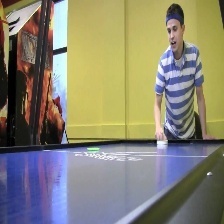 | 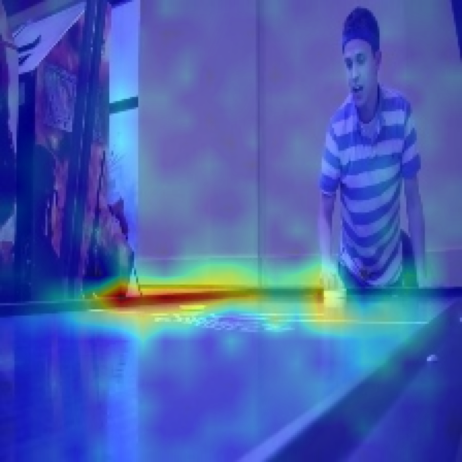 |
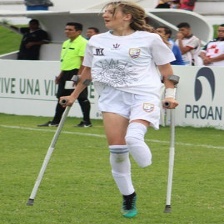 | 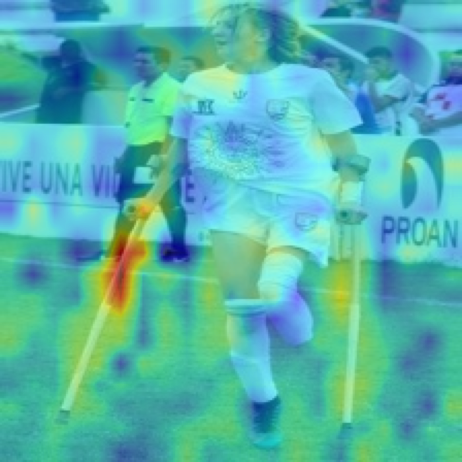 |
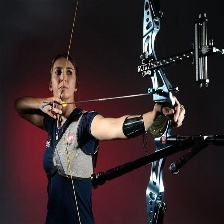 | 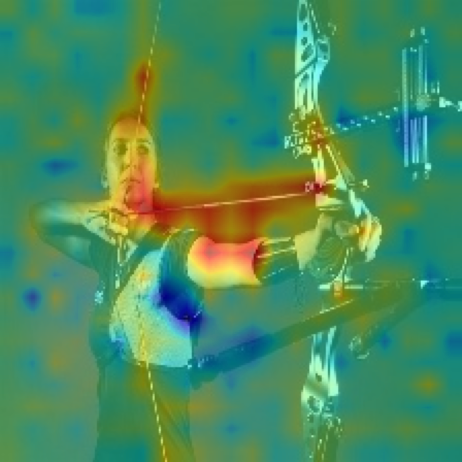 |
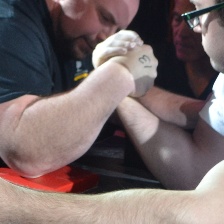 | 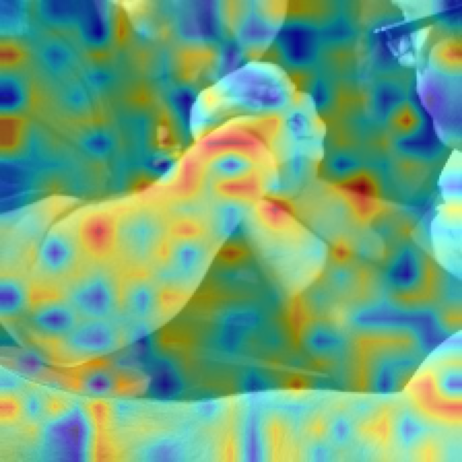 |
 |  |